
By Capsa Healthcare
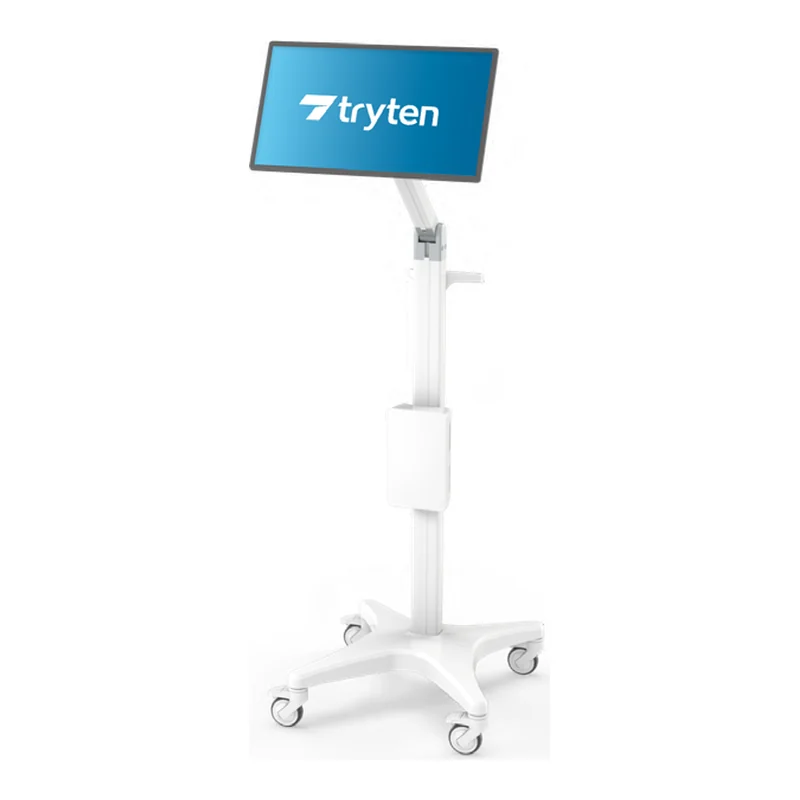
Tryten S2 Telehealth Tablet Cart
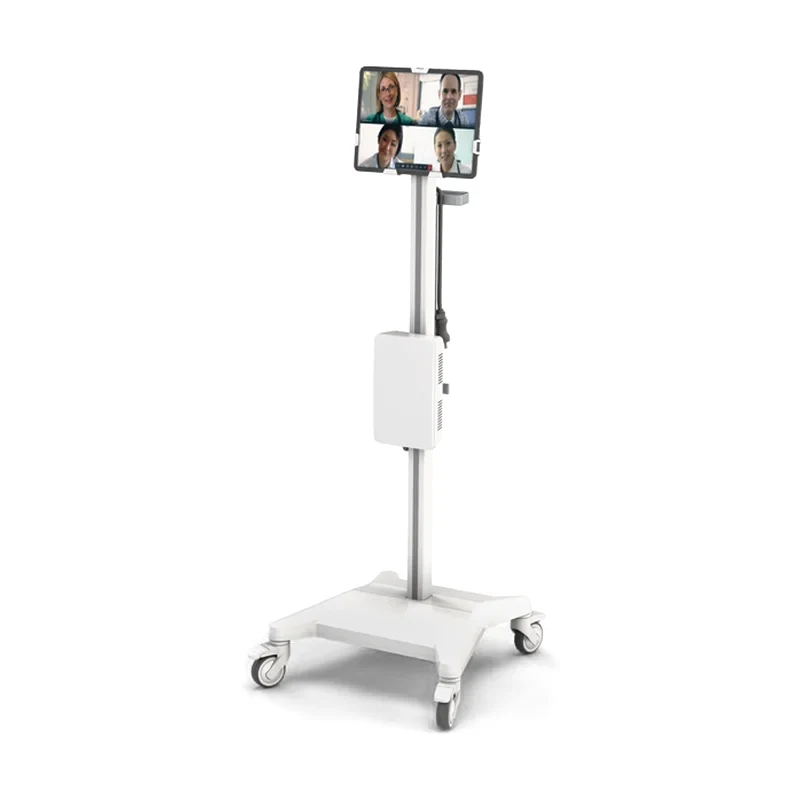
A simple tablet cart on a small, weighted base, for patient rooms and small exam rooms. Capsa lists it for telehealth, video remote interpreting, patient check-in, patient entertainment, vital signs monitoring and virtual rounding. LIOMAR helps you choose the accessories for your equipment. The tablet, the computer and the peripherals are not included.
- Lockable holder for tablets up to 12.95 in (32.9 cm) and 3.5 lb (1.6 kg), 0.36 to 0.74 in (0.9 to 1.9 cm) thick
- Tablet bracket that tilts, pans 180° and rotates 360°
- Cart weight of 35 lb (15.9 kg) without accessories; base length of 17.7 to 17.9 in (45.0 to 45.5 cm)
- IEC 60601 tested for tip resistance, according to Capsa
A tablet where the care happens
Capsa lists the S2 for telehealth, video remote interpreting, patient check-in, patient entertainment and virtual rounding. Its small footprint fits patient rooms and small exam rooms.
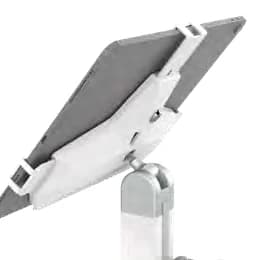
According to Capsa, the holder fits the Apple iPad Air, iPad Pro 11 in and 12.9 in, Microsoft Surface and Surface Pro, Samsung Galaxy tablets, Google Pixel and many others.
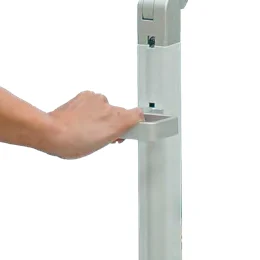
A slender handle with a cord wrap sits where it is easy to push and position the cart.
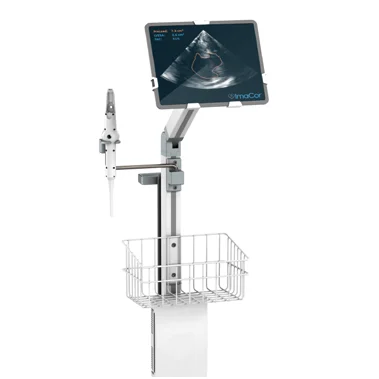
A modular design takes Tryten accessories: keyboard and mouse tray, supply caddy, equipment holder, speakerphone brackets.
Features of this tablet cart
Lockable tablet holder
The holder locks tablets up to 12.95 in (32.9 cm) and 3.5 lb (1.6 kg) in place.
Tilts, pans and rotates
The bracket tilts, pans 180° and rotates 360°, so the screen faces the patient or the caregiver.
Monitor configuration (option)
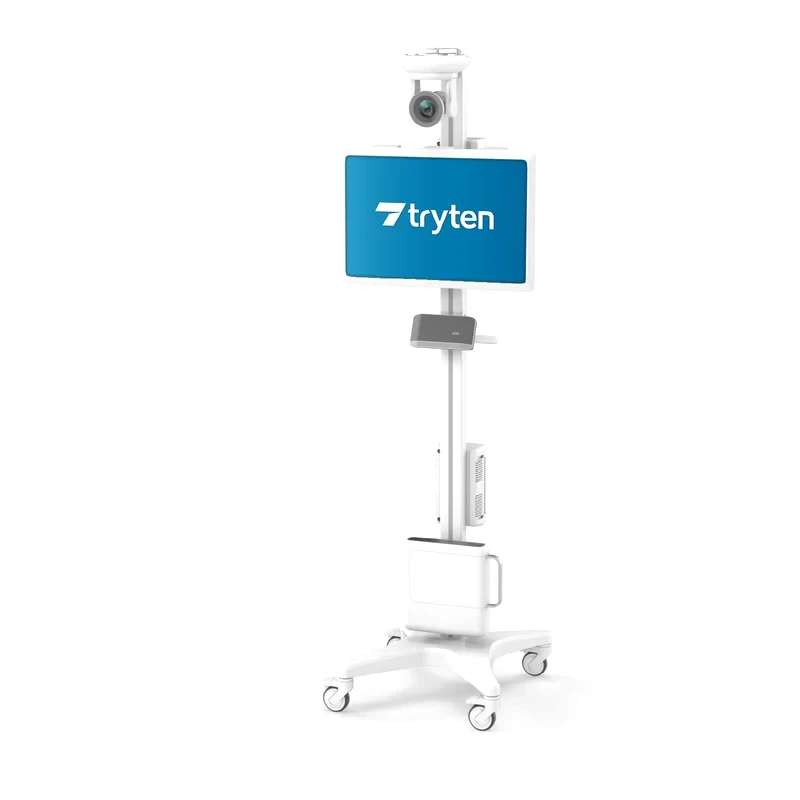
The S2 is also available with a VESA mount that holds a monitor.
Utility box with power points
A large utility box adjusts in height and holds the power points, with the cables in a concealed channel.
Easy-to-clean components
Medical-grade components wipe down for frequent cleaning, on quiet, non-marking casters that lock.
See how the Tryten S2 is assembled
Capsa Healthcare shows the assembly of the Tryten S2 tablet cart.
Specifications and configuration
Tryten S2
17.7 to 17.9 in (45.0 to 45.5 cm)Base length
- Large utility box (H × L × D)
- 5 × 8.6 × 2.3 in (12.7 × 21.8 × 5.8 cm)
- Cart weight
- 35 lb (15.9 kg), without accessories
- Tablet size
- 9.5 to 12.95 in by 6.6 to 9.3 in (24.1 to 32.9 cm by 16.8 to 23.6 cm)
- Tablet thickness
- 0.36 to 0.74 in (0.9 to 1.9 cm)
- Tablet weight limit
- 3.5 lb (1.6 kg)
- Bracket movement
- Tilts, pans 180°, rotates 360°
- In the box
- S-Series pole with OmniTab tablet bracket, base with locking casters, large utility box, handle and cord wrap, hardware pack, assembly instructions
- Optional accessories
- Keyboard and mouse tray, supply caddy, multipurpose equipment holder, S-Series work surface, speakerphone brackets (JBL Flip 5, Poly Sync 20, Jabra 410/510, Jabra 710/750), single tab and triple tab extension cords
- Monitor
- VESA mount configuration available (option)
- Tip resistance
- IEC 60601 tested for tip resistance, according to Capsa
- Casters
- Whisper-quiet, non-marking, locking; roll over all floors, including carpet
- Tablet, computer and peripherals
- Not included
- Manufacturer warranty
- Provided by Capsa Healthcare. Terms are confirmed with your quote.
- Service
- LIOMAR is your first point of contact and works with Capsa Healthcare on repairs.

About the manufacturer
Capsa Healthcare makes medication carts and cabinets, medical carts, computing workstations and medication management solutions for hospitals and long-term care homes. Its products are installed in more than 70 countries.
LIOMAR distributes Capsa products in Canada. We prepare your quote and remain your first point of contact after delivery, working with Capsa on repairs.
Questions about the Tryten S2
How is the Tryten S2 assembled?
The S2 ships with its S-Series pole and OmniTab bracket, the base with locking casters, the large utility box, the handle and cord wrap, a hardware pack and the assembly instructions. Capsa publishes an assembly video of the S2, shown on this page. If a step is unclear, contact us and we check it with Capsa.
Which accessories fit the Tryten S2?
The OmniTab bracket, the cord wrap and the large utility box are standard. Capsa lists as options a keyboard and mouse tray, a supply caddy, a multipurpose equipment holder, an S-Series work surface, brackets for JBL Flip 5, Poly Sync 20, Jabra 410/510 and Jabra 710/750 speakerphones, and single tab and triple tab extension cords. Tell us the devices each cart will carry, and we confirm the list with Capsa.
Can the Tryten S2 carry a monitor instead of a tablet?
Yes, according to Capsa: the S2 is available in a VESA mount configuration that holds a monitor. Capsa does not give a monitor weight limit for the S2 on its page. For a monitor, the Tryten S5 and the P-Series monitor carts are also options. Send us the monitor model and we confirm the configuration with Capsa.
How much does the Tryten S2 tablet cart cost?
The price depends on the configuration, the accessories and the number of carts. Request a quote and a representative replies within two business days. The tablet is not included, and the lead time is confirmed with your quote.
Other medical workstations
Request a quote for the Tryten S2
Tell us how many carts you need, the tablet or monitor each cart will hold, and the accessories you are considering.
- A reply within two business daysA representative contacts you to understand your unit, your equipment needs and your timeline.
- Equipment that fits your unitWe suggest models for your space, your care team and your purchasing process.
- Documents for your purchasing teamSpecifications and the documentation your purchasing committee or tender requires.
- Your first contact after deliveryFor service and questions, you reach the same team.